

Mobile gaming has become an important part of everyday entertainment. Android smartphones allow people to enjoy different types of games without needing a computer or dedicated gaming console. From simple puzzle challenges to racing adventures and action experiences, mobile games offer entertainment through touchscreen technology. One of the most important features behind this experience is the control system, which allows players to interact with characters, objects, and virtual environments.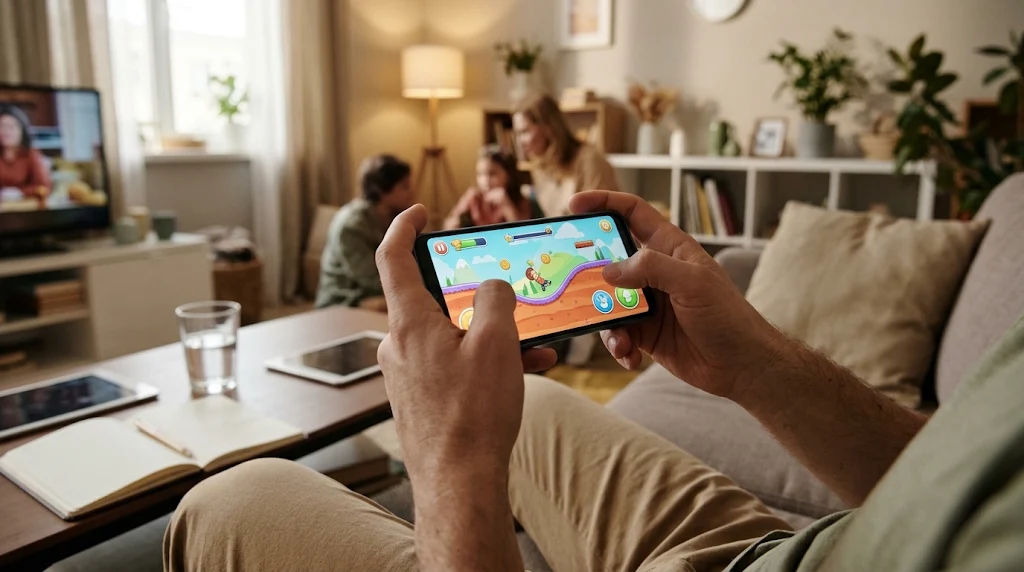
Understanding how mobile controls function can help players enjoy a smoother gaming experience. Android devices use touchscreens, motion sensors, buttons, and other technologies to translate physical actions into commands. These features make online games accessible and convenient because players can control different activities directly from their smartphone screens.
Android game controls are designed to make interactions simple, responsive, and comfortable. Some games use virtual buttons, while others depend on gestures, screen taps, or movements of the device. The type of control system usually depends on the game's purpose, design, and required actions.
This comprehensive guide explains how Android game controls work on mobile devices, which technologies support them, how different control methods function, and what players should understand about improving their overall gaming experience.
Android Game Controls
Android game controls are the systems that allow players to communicate with a game through their smartphones. They receive physical input from users and convert it into digital instructions that the game can understand.
For example, when a player touches a movement button, the game receives a command to move a character. Similarly, pressing a virtual jump button tells the game to perform a jumping action.
These controls connect the player's actions with the software running on the device. Without them, interacting with a mobile game would be difficult.
Most Android games use touchscreen technology because it is available on almost every modern smartphone. However, developers can also include additional control options, such as physical controllers, motion sensors, and keyboard inputs.
The Role of Touchscreen Technology
Touchscreens are among the most important components of Android gaming. They allow players to interact directly with the images displayed on their screens.
Most modern smartphones use capacitive touchscreen technology. This technology detects changes in electrical signals when a finger touches the display.
When someone taps or moves a finger across the screen, the touchscreen identifies the location and movement of that contact. The Android operating system processes this information and sends the relevant input to the running game.
For example, tapping a character may open a menu, while dragging a finger across the screen may move an object.
Touchscreen technology makes mobile gaming convenient because players do not always need additional equipment.
How Android Processes Player Input
When a player touches the screen, several processes happen quickly.
First, the touchscreen detects the contact. Next, the Android operating system receives the input event. The game software then interprets the event and determines which action should happen.
Finally, the game updates its visual environment to display the result.
This process happens repeatedly while someone plays. Modern smartphones can process these interactions quickly enough to create responsive gaming experiences.
Different Types of Android Game Controls
Android games useOPEN88 t control methods depending on their gameplay requirements. A racing game may require steering controls, while a puzzle game may only need simple taps.
Understanding these methods helps explain why some mobile games feel different from others.
Virtual Buttons
Virtual buttons are among the most common control systems in Android games.
They appear directly on the smartphone display and work similarly to physical buttons. Players tap them to perform specific actions.
For example, an action game may include buttons for jumping, attacking, running, or interacting with objects.
Virtual buttons are especially useful because developers can position them according to the game's design.
They can also change their size, appearance, and location to support different screen dimensions.
Touch and Tap Controls
Touch and tap controls are common in casual games, puzzles, and strategy experiences.
Players simply touch an object or a particular area of the screen to perform an action.
For example, a puzzle game may ask players to select matching objects. A menu-based game may use taps to open different sections.
This control method is easy to understand because it does not require players to learn complicated button combinations.
It also makes many online games suitable for beginners who are new to mobile gaming.
Swipe Controls
Swipe controls allow players to move their fingers across the display in a particular direction.
A swipe may move an object, change a screen, select an item, or control a character.
For instance, a player might swipe left to move something toward the left side of the screen. Swiping upward could perform a different action.
The game recognizes the direction, distance, and speed of the movement to determine what the player intends to do.
Swipe controls are particularly useful when a game requires continuous movement rather than individual button presses.
Drag-and-Drop Controls
Drag-and-drop controls allow players to select an object and move it to another location.
A player first touches an item, keeps a finger on the screen, and moves it toward a desired position.
When the finger is released, the game processes the final location.
This method is common in puzzle, building, educational, and management games.
It gives players a direct way to organize objects and interact with different elements of a virtual environment.
How Motion Sensors Support Mobile Gaming
Android smartphones contain several sensors that can recognize physical movement and changes in device orientation.
Game developers sometimes use these sensors to create alternative control experiences.
Accelerometer Sensors
An accelerometer measures acceleration and changes in movement along different directions.
In mobile gaming, it can detect when a smartphone tilts or moves.
For example, a racing game may allow players to steer a vehicle by tilting their phones.
The accelerometer measures the movement and sends information to the game, which translates it into steering commands.
This creates an interactive experience without requiring players to touch virtual steering buttons.
Gyroscope Sensors
A gyroscope measures rotational movement and orientation changes.
It can help games recognize more precise movements when a player turns or rotates a smartphone.
Some racing, simulation, and augmented reality games use gyroscope information to create more responsive motion-based controls.
Although accelerometers and gyroscopes perform different functions, developers may combine their information to improve movement detection.
Why Sensor-Based Controls Matter
Sensor-based controls provide another way to interact with mobile games.
They can make certain experiences feel more natural because players use physical movements instead of relying entirely on touchscreen buttons.
However, not every Android smartphone has identical sensor capabilities.
The performance of these controls can depend on the device's hardware, software, sensor quality, and game optimization.
How Android Game Controls Respond to Player Actions
A good mobile control system should recognize player input and translate it into the correct action without unnecessary delay.
This requires communication between the touchscreen, operating system, game engine, and graphics system.
Input Detection
Input detection is the first stage of mobile gaming controls.
The device identifies what action the player performs. This may include tapping, holding, swiping, dragging, or tilting the phone.
The detected information is then passed to the game software.
Accurate input detection helps games understand what players want to do.
Input Processing
After detecting an action, the game processes the information.
For example, if a player presses a virtual movement button, the game identifies the assigned command and changes the character's movement state.
The game may also consider additional factors, such as movement speed, available actions, character position, and current gameplay conditions.
Visual Feedback
Once the game processes the input, it updates the display.
A character may move, an object may change position, or a menu may open.
This visual feedback helps players understand that their actions have been recognized.
Sound effects and vibration may also provide additional feedback, depending on the game's settings and device capabilities.
The Importance of Control Layout and Button Placement
The arrangement of controls can strongly influence the mobile gaming experience.
Developers need to consider screen size, player comfort, and the number of actions required during gameplay.
A poorly arranged interface may make it difficult to reach important buttons or see what is happening on the screen.
Choosing Comfortable Button Positions
Many Android games place movement controls on the left side of the display and action buttons on the right.
This arrangement can provide convenient access to multiple commands.
However, different games require different layouts.
A strategy game may use a completely different interface because players mainly select objects, open menus, and manage resources.
Adjustable Control Settings
Some Android games allow players to customize their controls.
They may be able to move virtual buttons, change button sizes, adjust sensitivity, or select alternative control methods.
These settings can make online games more comfortable across different devices and playing preferences.
Adjustable layouts are particularly useful when a game contains several actions that require frequent interaction.
How Sensitivity Settings Affect Android Game Controls
Sensitivity determines how strongly a game responds to a player's input.
For touchscreen controls, sensitivity may influence how quickly a camera moves or how much an object responds to a swipe.
For motion-based controls, it can affect how strongly the game reacts when a smartphone tilts.
Understanding Touch Sensitivity
Touch sensitivity affects how the game interprets screen movements.
Higher sensitivity may create faster responses to small movements, while lower sensitivity may require more noticeable movement.
The appropriate setting depends on the type of game and the player's comfort.
Camera and Movement Sensitivity
Some games provide separate settings for camera movement and character control.
Camera sensitivity affects how quickly the viewing direction changes when a player moves a finger across the screen.
Movement sensitivity can influence how characters or other objects respond to directional input.
Having separate settings gives developers more flexibility and helps players understand different control behaviors.
The Role of Android Software and Game Engines
Android game controls depend on software that manages communication between the device and the game.
The Android operating system provides input systems that allow applications to receive touchscreen events, sensor information, and controller commands.
Game engines use these inputs to manage gameplay.
How Game Engines Interpret Controls
A game engine is software that helps developers create and manage interactive experiences.
It processes player commands and connects them with game mechanics.
For example, when a player taps a button, the game engine identifies the assigned action and updates the character or environment.
Popular development technologies support different input methods, making it easier for developers to create games for Android devices.
Compatibility Across Different Devices
Android smartphones come in different sizes and have different hardware capabilities.
A game must therefore adapt its interface to work across a wide range of displays and devices.
Developers often use responsive layouts to position buttons correctly on different screen sizes.
They may also adjust graphics, input handling, and performance settings to improve compatibility.
This helps make online games available to players using different Android smartphones.
How External Controllers Work With Android Games
Although touchscreen controls are convenient, some Android games also support external controllers.
These devices provide physical buttons, joysticks, and triggers for player input.
Bluetooth Controllers
Bluetooth controllers connect wirelessly to compatible Android smartphones.
Once connected, the phone can recognize supported input commands and send them to the game.
Players can then use physical controls instead of touching the display.
However, controller compatibility depends on the smartphone, Android version, controller, and individual game.
Wired Controllers
Some Android devices also support compatible wired controllers through USB connections.
These controllers can provide another way to interact with games.
Players should check device compatibility before using external hardware because not every controller works with every Android smartphone.
Why Some Players Prefer Physical Controllers
Physical controllers provide tactile buttons that players can feel without looking directly at them.
They can also offer familiar layouts for people who have experience with gaming consoles.
Nevertheless, touchscreen controls remain practical because they do not require additional equipment.
Common Problems With Android Game Controls
Even well-designed mobile games may occasionally experience control problems.
These issues can result from hardware limitations, software errors, incorrect settings, or performance problems.
Unresponsive Touchscreen Controls
Sometimes a game does not recognize a tap or swipe correctly.
This may happen because of temporary software problems, screen interference, or device performance limitations.
Checking whether the touchscreen works correctly outside the game can help identify the source of the problem.
Delayed Input Response
Input delay occurs when a game takes noticeable time to respond to a player's command.
It may be related to low device performance, background applications, software problems, or game optimization.
Closing unnecessary applications and installing available software updates may help resolve certain performance issues.
Incorrect Sensor Responses
Motion controls may sometimes behave differently than expected.
The cause could involve sensor limitations, incorrect settings, or the way a particular game interprets movement.
Checking the game's control settings and following its calibration instructions can help improve consistency.
Interface Problems
Some games may display buttons incorrectly on particular screen sizes.
This can happen when the interface is not properly optimized for a device's display.
Changing available display settings or updating the game may help improve the experience.
Tips for Understanding and Using Mobile Game Controls
Learning a game's control system can make its gameplay easier to understand.
Players should begin by exploring the available settings and identifying what each button does.
The following practices can help create a more comfortable experience.
Read the Control Instructions
Many Android games include tutorials that explain basic actions.
These tutorials introduce important buttons, gestures, and gameplay commands.
Following them can help beginners understand the interface before exploring more advanced features.
Explore Available Settings
Control settings often contain useful customization options.
Players can review sensitivity, button placement, vibration, and alternative input methods.
Understanding these options makes it easier to select comfortable controls.
Learn Gestures Gradually
Different games may use different gestures.
Players should become familiar with basic taps, swipes, and dragging actions through the game's normal tutorial and practice activities.
Learning these interactions gradually can make the interface easier to understand.
Keep the Device Software Updated
Software updates can improve compatibility and resolve certain technical problems.
Keeping Android and installed games updated can help maintain a reliable experience.
Players should also make sure their devices have enough available storage and memory for the games they use.
How Developers Improve Android Game Controls
Developers regularly work to make mobile controls easier to understand and more responsive.
Their goal is to create an interface that supports gameplay without distracting players.
Testing Different Control Layouts
Developers test different button arrangements to determine which layouts work effectively.
They consider screen dimensions, action frequency, and the amount of space needed for gameplay visuals.
Testing helps identify buttons that are difficult to reach or interfaces that feel confusing.
Improving Responsiveness
Developers also examine how quickly games respond to touchscreen and sensor inputs.
They work to reduce unnecessary processing delays and improve communication between input systems and gameplay mechanics.
Better optimization can make controls feel more consistent.
Supporting Accessibility
Accessibility is another important part of mobile game development.
Some players may have difficulty using small buttons or complicated gestures.
Larger controls, adjustable layouts, alternative input methods, and clear visual feedback can make games easier for a wider audience to use.
These improvements can help more people enjoy mobile entertainment comfortably.
Why Simple Android Game Controls Are Popular
Simple controls are popular because they reduce the learning effort required to start playing.
Players can often understand basic actions without studying complicated instructions.
A game that uses clear buttons, recognizable icons, and straightforward gestures can provide an approachable experience.
Simple controls are also suitable for smartphones because their displays have limited space compared with computer monitors.
Developers must organize the interface carefully so players can interact with the game without covering important visual information.
Another advantage is convenience. Players can use their existing smartphones without purchasing additional accessories.
This makes online games accessible to people with different levels of gaming experience.
Simple controls do not necessarily mean limited gameplay. Developers can create interesting challenges through creative game mechanics while keeping the input system easy to understand.
The most successful control systems balance simplicity, accuracy, and flexibility.
Conclusion
Android game controls work by translating physical actions into digital commands that games can understand and process. Touchscreen technology, virtual buttons, gestures, motion sensors, and external controllers all provide different ways for players to interact with mobile games.
The Android operating system detects and manages input events, while the game software interprets them and connects them with gameplay actions. This process allows players to move characters, select objects, navigate menus, and control different elements of virtual environments.
Different control systems serve different purposes. Virtual buttons are useful for games that require several actions, while taps and swipes provide straightforward interaction for casual experiences. Motion sensors offer another option by allowing smartphones to respond to physical movement.
Control layout, sensitivity, software compatibility, and device performance also influence how comfortable and responsive a game feels. Developers must consider these factors when designing mobile interfaces for different smartphones and players.
For beginners, understanding the available controls is an important step toward enjoying mobile gaming. Exploring tutorials, reviewing settings, and becoming familiar with different gestures can make gameplay easier to understand.
Ultimately, well-designed Android controls make mobile gaming convenient, interactive, and accessible. As smartphone technology continues to develop, control systems will continue improving, giving players more flexible ways to enjoy their favorite mobile entertainment, including online games.