

In today’s digital world, people often want quick ways to access product details, websites, prices, and information without typing long links. Many smartphones already have built-in camera features that can recognize codes instantly.
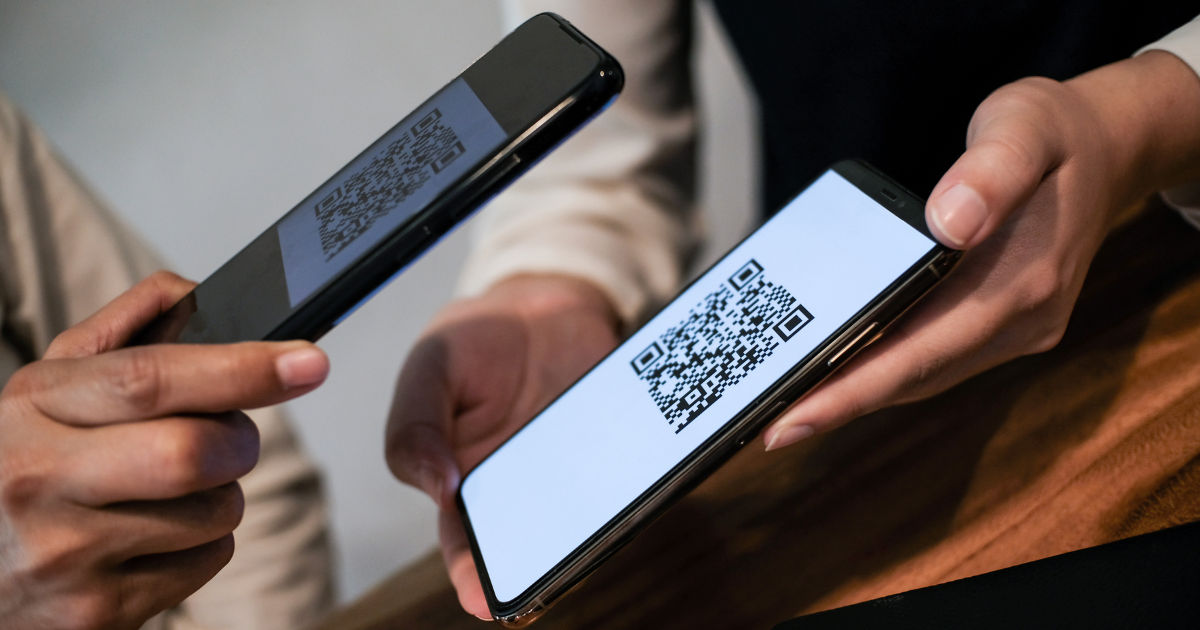
If you are wondering whether you can scan barcode free using only your camera, the answer is yes in many cases. Modern phones and online tools make barcode scanning easier than ever.A barcode is simply a visual code that stores information in a pattern of lines, squares, or dots. When your camera reads that pattern, it can convert it into useful information.
Whether you are checking a product price, opening a website, managing inventory, or saving details, camera-based scanning can save time.This guide explains how camera barcode scanning works, what devices support it, how to use it safely, and what limitations you should understand.
How Does Barcode Scanning With a Camera Work?
A barcode scanner does not need complicated equipment in every situation. Smartphones now have powerful cameras and software that can identify barcode patterns quickly.
When you point your camera toward a barcode, the scanning system analyzes the image. It recognizes the unique arrangement of lines or squares and translates them into digital information. Depending on the barcode type, this information may include product numbers, website links, contact details, or other stored data.
Many newer smartphones have barcode recognition built into their camera applications. Other devices may require a separate scanning application or browser-based tool.
The process usually follows these simple steps:
-
Open the camera or scanning tool.
-
Point the camera toward the barcode.
-
Wait for recognition.
-
Open the information provided by the scanner.
The entire process usually takes only a few seconds.
Can You Scan Barcode Free Without Installing an App?
Many people assume they need a special application to read every barcode, but that is not always true. Modern smartphone systems often include built-in scanning features.
For example, many Android and iPhone devices can recognize QR codes directly through the camera. Some barcode formats may also work depending on the phone model and operating system.
Using a camera is one of the easiest ways to scan barcode free because you do not always need extra software. However, if your phone camera does not support barcode detection, you can use free scanning apps available from official app stores.
Before installing any scanner app, check reviews, permissions, and the developer information. A simple barcode scanner should not require unnecessary access to personal information.
Which Types of Barcodes Can Your Camera Read?
Not all barcodes are identical. Different industries use different barcode formats depending on their needs.
UPC Barcodes
UPC barcodes are commonly found on retail products. Grocery stores, supermarkets, and online sellers often use them to identify products.
QR Codes
QR codes are two-dimensional codes that can store more information than traditional barcodes. They are often used for websites, payments, tickets, menus, and digital sharing.
Code 39 and Code 128
These barcode types are commonly used in businesses, warehouses, and manufacturing environments. They help organizations track products and inventory.
The ability to scan barcode free depends on whether your camera software supports the specific barcode format.
How to Scan a Barcode Using Your Phone Camera
The scanning process may vary slightly between devices, but the general method is simple.
First, clean your camera lens. A dirty lens can make barcode recognition difficult. Next, place the barcode in good lighting and keep your phone steady.
Avoid holding the camera too close. Most phones need a small distance to focus properly. If the barcode is blurry, move your phone slightly backward or forward until it becomes clear.
Once the camera recognizes the code, a notification or link may appear. Tap it to view the information.
For difficult barcodes, improving lighting, reducing reflections, and adjusting the camera angle can help.
Benefits of Using Camera-Based Barcode Scanning
There are several advantages to using your phone camera instead of a traditional scanner.
Convenience
Your smartphone is usually with you, meaning you do not need additional hardware. This makes quick scanning possible at home, work, or while shopping.
Saves Money
Traditional barcode scanners can be expensive, especially for personal use. A phone camera provides a simple alternative for many everyday situations.
Faster Access to Information
Instead of manually searching for product details, users can quickly retrieve information by scanning a code.
Useful for Small Businesses
Small business owners can use mobile scanning solutions for basic inventory tracking, product management, and organization.
Common Reasons Barcode Scanning Does Not Work
Although smartphone scanning is convenient, it is not perfect. Several factors can prevent successful recognition.
Poor Lighting Conditions
Cameras need enough light to capture clear details. Dark environments can make scanning difficult.
Damaged Barcodes
If a barcode is scratched, faded, or partially covered, the camera may not understand the pattern.
Incorrect Distance
Holding the phone too close or too far away can create a blurry image.
Unsupported Barcode Type
Some cameras only recognize certain barcode formats. A specialized scanner may be needed for uncommon codes.
Understanding these issues can improve your experience when you scan barcode free with your device.
Is It Safe to Scan Unknown Barcodes?
Barcode scanning is generally safe, but users should still be careful. Some barcodes, especially QR codes, can contain website links.
Before opening a link from an unknown source, check where it leads. Avoid scanning codes from suspicious messages, emails, or public places where the purpose is unclear.
A barcode itself usually does not harm your device. The risk comes from the information connected to it, such as unsafe websites or misleading content.
Good security habits include:
-
Keep your phone updated.
-
Use trusted scanning tools.
-
Avoid entering sensitive information on unfamiliar websites.
-
Check links before opening them.
Free Barcode Scanning Options for Different Users
Different people use barcode scanning for different purposes.
Everyday Shoppers
Customers can use barcode scanning to compare prices, check product information, and learn more about items before buying.
Students and Professionals
Students may use scanning tools to access resources quickly, while professionals can organize information more efficiently.
Business Owners
Small businesses can benefit from mobile barcode solutions for basic stock management and product tracking.
The ability to scan barcode free makes these tasks easier without requiring expensive equipment.
Do You Need a Separate Barcode Scanner?
For most casual users, a smartphone camera is enough. However, businesses handling thousands of products every day may need dedicated scanners.
Professional barcode scanners are designed for speed, durability, and continuous use. They can work better in warehouses, stores, and industrial environments.
For occasional scanning, however, using your phone camera is usually practical and affordable.
Tips to Get Better Barcode Scanning Results
If you want reliable scanning performance, follow these simple tips:
-
Use a clean camera lens.
-
Scan in a bright area.
-
Keep the barcode flat and visible.
-
Hold the phone steady.
-
Update your operating system.
-
Use trusted scanning applications.
Small improvements can make a big difference when trying to scan barcode free with a smartphone.
Future of Camera Barcode Technology
Barcode technology continues to improve as smartphones become more advanced. Better cameras, artificial intelligence, and improved recognition software are making scanning faster and more accurate.
In the future, barcode scanning may become even more connected with shopping, payments, inventory systems, and digital services.
Many daily activities already depend on quick code recognition, and this trend is likely to continue as businesses move toward faster digital solutions.
Conclusion
Using your phone camera to read barcodes is now easier than ever. Many modern devices allow users to scan codes without purchasing special equipment or complicated tools. Whether you are checking products, opening digital content, or managing information, camera-based scanning provides a convenient solution.
The ability to scan barcode free gives users a simple way to access information quickly. While some situations may require professional scanners, most everyday tasks can be completed with a smartphone camera.
By using proper lighting, keeping your camera clean, and being careful with unknown links, you can enjoy the benefits of barcode technology safely and efficiently. As mobile technology continues to improve, barcode scanning will remain an important part of how people interact with digital information.