

Mobile gaming has become an important part of modern entertainment. Smartphones now support advanced graphics, multiplayer experiences, and demanding games that require considerable processing power. However, one common problem players experience is overheating. Long gaming sessions can increase device temperature, reduce performance, drain battery power, and make a smartphone uncomfortable to hold. As a result, many players are exploring cloud gaming as a possible solution.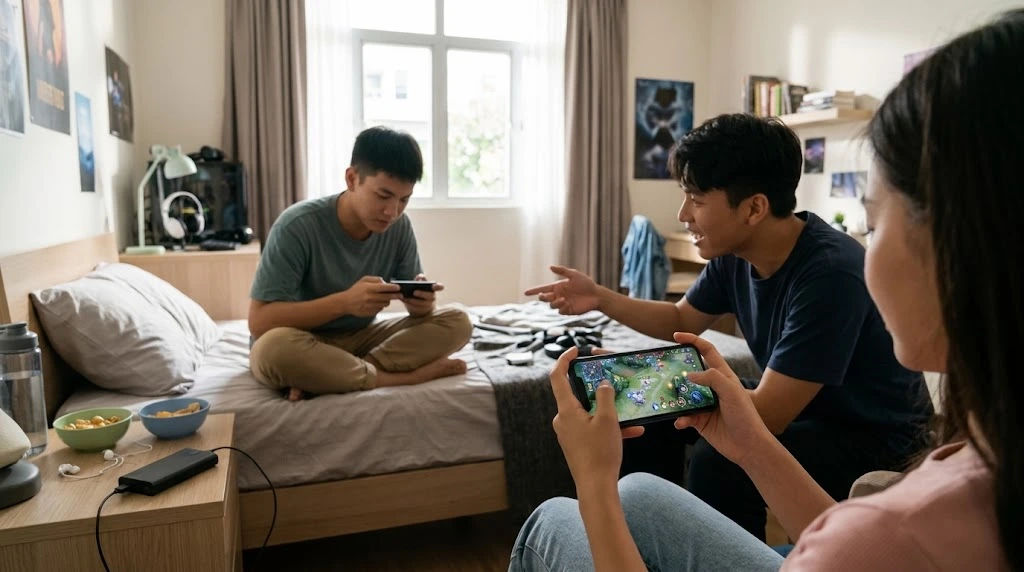
Cloud gaming offers a different way to enjoy games because much of the processing happens on remote servers instead of directly on a smartphone. This technology can reduce the workload placed on a mobile device. For people who regularly enjoy Mobile App Gaming, this approach may provide a more comfortable experience, especially when playing graphically demanding titles.
However, cloud gaming does not completely eliminate heat. Smartphones still need to process video streams, maintain internet connections, and manage background activities. Understanding how this technology works can help players decide whether it is a practical solution to overheating.
This comprehensive guide explains how cloud gaming affects smartphone temperature, why traditional mobile games generate heat, what benefits cloud technology offers, and how players can maintain better device performance.
Cloud Mobile Gaming
Cloud gaming is a technology that allows users to play games through internet-based servers. Instead of downloading and processing every game component directly on a smartphone, the device receives a video stream of the gameplay.
The remote server handles demanding activities such as graphics rendering, game calculations, and other processing tasks. The smartphone mainly displays the streamed content and sends player commands back to the server.
This approach changes how mobile devices handle demanding games.
How Cloud Gaming Works
Cloud gaming relies on communication between a smartphone and a remote gaming server. The process generally follows several steps.
-
The player opens a cloud gaming application or supported platform.
-
The application connects to a remote gaming server.
-
The server runs the selected game.
-
The server sends compressed video and audio to the smartphone.
-
The player interacts through touchscreen controls or a connected controller.
-
The smartphone sends those commands to the server.
This process continues throughout the gaming session.
Because the smartphone does not need to render the complete game locally, its processor and graphics hardware may experience a lighter workload.
Why Cloud Gaming Is Becoming Popular
Cloud gaming is becoming popular because it provides access to demanding games without requiring expensive gaming hardware.
Players can enjoy compatible titles on devices that might not otherwise support their graphics requirements.
It can also reduce the need to install large game files. This is particularly useful for people with limited smartphone storage.
For regular mobile players, cloud technology offers convenience while potentially reducing the amount of processing performed directly on the device.
Why Traditional Mobile Gaming Causes Overheating
Mobile App Gaming pk365 whether cloud gaming reduces overheating, it is important to understand why smartphones become hot during regular gaming sessions.
Modern games use several hardware components simultaneously. These components consume electrical power and generate heat during operation.
Heavy Processor Usage
The central processing unit, commonly known as the CPU, manages many important gaming activities.
It handles game instructions, player interactions, calculations, and background processes.
When a demanding game requires continuous processing, the CPU works harder and consumes more power.
This additional energy consumption produces heat. If the device cannot release that heat efficiently, its temperature gradually increases.
Graphics Processing Demands
The graphics processing unit, or GPU, is responsible for rendering visual elements.
High-resolution textures, detailed environments, realistic lighting, and complex animations require considerable graphics processing.
Games with advanced visual effects can place substantial pressure on smartphone GPUs.
During extended gaming sessions, this workload can cause noticeable temperature increases.
Battery Power Consumption
Gaming also places demands on the smartphone battery.
When a device supplies power to the processor, graphics hardware, display, and wireless connections, some electrical energy is converted into heat.
Battery temperature may increase further when players continue gaming while charging their devices.
Poor Heat Dissipation
Unlike desktop computers, smartphones have limited space for cooling systems.
Most smartphones depend on internal heat spreaders, graphite layers, vapor chambers, and their external surfaces to release heat.
When several components generate heat simultaneously, the cooling system may struggle to maintain a comfortable temperature.
Can Cloud Mobile App Gaming Reduce Overheating?
Yes, cloud gaming can reduce overheating in many situations because it transfers demanding game processing to remote servers.
In traditional gaming, the smartphone performs most of the calculations required to run the game. In cloud gaming, powerful remote hardware handles much of this work.
This difference can reduce the workload on the smartphone's CPU and GPU.
Reduced Local Processing Requirements
One of the biggest advantages of cloud gaming is reduced local processing.
A smartphone does not need to render every character, environment, animation, and visual effect independently.
Instead, it receives the completed gameplay video from the server.
This can significantly reduce the processing requirements associated with demanding games.
Lower CPU and GPU workloads may result in less heat production, particularly on smartphones with limited hardware capabilities.
Less Pressure on Graphics Hardware
Cloud gaming can be especially helpful when playing graphically demanding titles.
A smartphone with a modest GPU may struggle to maintain stable performance when rendering complex environments.
However, cloud gaming moves most of that rendering work to remote servers.
The device mainly decodes and displays the incoming video stream.
This can help reduce GPU activity compared with running the same demanding game locally, although video decoding still requires processing power.
More Comfortable Gaming Sessions
Reduced heat generation can make smartphones more comfortable during extended gaming sessions.
Players may notice fewer temperature-related performance problems when the device handles a lighter workload.
However, the actual improvement depends on the smartphone, network conditions, streaming quality, and cloud gaming platform.
Cloud gaming should therefore be considered a potential overheating reduction method rather than a complete cooling solution.
How Cloud Gaming Changes Smartphone Performance
Cloud gaming affects more than temperature. It can also change how smartphones manage processing power, battery consumption, and system resources.
Improved Thermal Stability
Thermal stability refers to a device's ability to maintain a reasonable operating temperature during demanding activities.
When a smartphone becomes too hot, its operating system may reduce processor speeds to protect internal components.
This process is known as thermal throttling.
Cloud gaming may reduce the likelihood of thermal throttling by lowering local graphics and processing requirements.
However, the smartphone must still decode video and maintain an internet connection throughout the session.
Reduced Graphics Workload
Traditional gaming requires a smartphone to render graphics continuously.
Cloud gaming replaces much of this work with video decoding.
Although video decoding still uses hardware resources, it is often less demanding than rendering a complex three-dimensional game locally.
This difference can benefit smartphones that have limited graphics capabilities.
Better Performance on Older Devices
Older smartphones sometimes struggle with modern games because their processors and graphics chips cannot efficiently handle demanding workloads.
Cloud gaming may allow these devices to access compatible games that would otherwise perform poorly.
By shifting processing to remote servers, players may experience smoother gameplay without upgrading their smartphones.
Nevertheless, network speed, device compatibility, and video decoding support remain important considerations.
Factors That Can Still Cause Overheating During Cloud Gaming
Although cloud gaming reduces certain hardware demands, it does not guarantee that a smartphone will remain cool.
Several other activities can still increase device temperature.
Continuous Internet Connectivity
Cloud gaming requires a stable internet connection.
The smartphone must continuously receive video data and transmit player commands.
Wi-Fi and cellular communication hardware consume power during this process.
Weak signals can make matters worse because the device may increase transmission power or repeatedly attempt to maintain a stable connection.
A strong Wi-Fi connection can help reduce unnecessary wireless activity.
High Video Streaming Quality
Cloud gaming platforms often provide different streaming resolutions and frame rates.
Higher resolutions and faster frame rates can improve visual quality, but they may also increase video decoding requirements and network activity.
For example, streaming at 1080p with a high frame rate may require more resources than streaming at a lower resolution.
Choosing suitable streaming settings can help balance visual quality and temperature.
Screen Brightness
The smartphone display can generate additional heat and consume significant battery power.
Playing with maximum brightness for several hours may increase overall device temperature.
Reducing brightness to a comfortable level can help lower power consumption.
Automatic brightness settings can also be useful when playing in changing lighting conditions.
Background Applications
Background applications can continue performing tasks while a cloud game is running.
Social media applications, automatic backups, location services, and downloads may consume processing power and network resources.
Closing unnecessary applications can reduce the combined workload on the smartphone.
Cloud Gaming Versus Traditional Mobile Gaming
Both gaming methods have advantages and disadvantages. Understanding their differences can help players select the most suitable option.
|
Feature |
Traditional Mobile Gaming |
Cloud Gaming |
|---|---|---|
|
Game processing |
Mostly performed locally |
Mostly performed remotely |
|
Graphics rendering |
Smartphone GPU |
Remote gaming server |
|
Internet requirement |
Depends on the game |
Continuous connection required |
|
Local storage |
Often requires large installations |
Usually requires less game storage |
|
Heat generation |
Can be high during demanding games |
Often lower from game processing |
|
Video decoding |
Not usually the main workload |
Required continuously |
|
Network dependence |
Varies by game |
High |
|
Battery consumption |
Can be substantial |
Depends on streaming and connectivity |
Which Option Produces Less Heat?
Cloud gaming often produces less heat when compared with running the same demanding game locally.
However, the difference is not identical across all smartphones.
A powerful smartphone running an optimized game may remain relatively cool, while an older device streaming high-resolution gameplay over a weak cellular connection may still become warm.
The best choice depends on the hardware and gaming conditions.
Practical Ways to Reduce Overheating During Cloud Gaming
Players can take several practical steps to maintain comfortable smartphone temperatures.
1. Use a Reliable Wi-Fi Connection
A stable Wi-Fi connection can reduce repeated connection attempts and provide more consistent streaming.
When possible, play close to the router.
Avoid gaming in areas with weak signals or frequent network interruptions.
A reliable connection also helps prevent frustrating delays during gameplay.
2. Adjust Streaming Resolution
Not every game needs maximum streaming quality.
If your smartphone becomes warm during extended sessions, try reducing the resolution or frame rate.
Lower settings can reduce video decoding demands and network requirements.
This adjustment may also improve performance when the internet connection is unstable.
3. Reduce Screen Brightness
Keeping the display at maximum brightness is unnecessary in many environments.
Adjust brightness according to surrounding lighting.
A slightly dimmer display can reduce battery consumption and help control overall device temperature.
4. Avoid Gaming While Charging
Charging and gaming simultaneously can increase smartphone temperature.
The battery receives electrical energy while the device consumes power for streaming, networking, and display operations.
This combination may create additional heat.
Whenever possible, charge the device before starting a long gaming session.
If charging during gameplay is unavoidable, use a compatible charger and monitor the device's temperature.
5. Remove Thick Protective Cases
Some protective cases can restrict heat transfer from the smartphone's external surface.
If your device becomes unusually warm, removing a thick case may help it release heat more effectively.
However, avoid exposing the smartphone to dust, moisture, or physical damage.
6. Close Unnecessary Background Applications
Before starting a gaming session, close applications that are not required.
Pay particular attention to large downloads, automatic backups, and applications using location services.
This can reduce unnecessary resource consumption.
7. Take Regular Breaks
Continuous gaming can increase device temperature over time.
Taking short breaks allows the smartphone to return closer to its normal operating temperature.
It also gives the battery and internal components an opportunity to recover from sustained workloads.
Does Cloud Gaming Improve Battery Life?
Cloud gaming can affect battery life in different ways.
Reducing local graphics processing may lower power consumption, particularly on devices that struggle with demanding games.
However, continuous video streaming requires the display, wireless hardware, and video decoder to remain active.
These activities also consume battery power.
Benefits of Reduced Processing
When the smartphone performs fewer complex calculations, the CPU and GPU may consume less energy.
This can reduce the power required to maintain gameplay.
For older devices, the difference may be particularly noticeable when comparing cloud gaming with demanding locally installed games.
The Impact of Video Streaming
Video streaming introduces its own energy requirements.
The smartphone must continuously receive data, decode video frames, and display the results.
Higher streaming quality may increase power consumption.
Consequently, cloud gaming does not always provide longer battery life.
The overall result depends on whether reduced local rendering outweighs the energy required for streaming.
Is Cloud Gaming Suitable for Every Smartphone?
Cloud gaming can work on many smartphones, but compatibility and performance vary.
Players should consider several important requirements before choosing a platform.
Supported Operating System
Cloud gaming applications and browser-based services have different compatibility requirements.
Some platforms support particular operating systems or browser versions.
Checking compatibility before subscribing can prevent unnecessary problems.
Sufficient Memory
Although cloud gaming reduces local game processing, the smartphone still needs sufficient memory to run the application, maintain the operating system, and decode incoming video.
Devices with very limited memory may experience interruptions or application instability.
Reliable Internet Speed
A stable connection is essential for cloud gaming.
Slow or inconsistent internet access can cause buffering, reduced image quality, and delayed controls.
A reliable broadband or Wi-Fi connection is generally preferable for longer sessions.
Modern Video Decoding Support
Smartphones with efficient hardware video decoders may handle cloud gaming more effectively.
These components are designed to process video streams without placing excessive pressure on the main processor.
A compatible and efficient video decoder can contribute to better power management.
Common Mistakes That Increase Smartphone Temperature
Even when using cloud gaming, certain habits can create unnecessary heat.
Avoiding these mistakes can improve the overall experience.
Playing in Direct Sunlight
Direct sunlight can increase the external temperature of a smartphone.
When combined with gaming, it may make thermal management more difficult.
Choose a shaded and well-ventilated environment.
Ignoring Temperature Warnings
Smartphones may display warnings when internal temperatures become excessive.
These alerts should never be ignored.
Stop gaming, disconnect the charger if connected, and allow the device to cool naturally.
Do not place an overheated smartphone in a refrigerator or freezer because sudden temperature changes and condensation can damage internal components.
Using Unnecessary Performance Features
Some smartphones include high-performance modes that increase processor activity.
These settings may be useful for demanding local games but may offer limited benefits when using cloud gaming.
Standard or balanced performance settings may be sufficient.
Using Poor-Quality Charging Accessories
Unreliable charging accessories can create additional power-management problems.
Always use compatible, reputable charging equipment that meets the smartphone manufacturer's recommendations.
This helps support safer charging and more predictable device operation.
How to Identify Whether Cloud Gaming Is Reducing Heat
Players can evaluate the benefits of cloud gaming by comparing device behavior under similar conditions.
Start by playing a locally installed game for approximately 20 to 30 minutes.
Pay attention to temperature, battery consumption, and performance.
Next, use a cloud gaming service under similar environmental conditions.
Try to maintain the same screen brightness and gaming duration.
Observe the following factors:
-
Whether the smartphone becomes less warm.
-
Whether battery consumption changes.
-
Whether performance remains consistent.
-
Whether the device experiences thermal warnings.
-
Whether internet connectivity affects temperature.
For a more accurate comparison, repeat the test on different days under similar conditions.
A smartphone temperature monitoring application may also help, provided it uses reliable sensor information.
Remember that surface temperature and internal battery temperature are not necessarily the same.
Future of Cloud Gaming and Smartphone Cooling
Cloud gaming technology continues to develop as internet infrastructure and remote gaming hardware improve.
These improvements may make demanding games more accessible to smartphones with limited processing capabilities.
More Efficient Streaming Technology
Future video compression technologies may deliver better image quality using less bandwidth.
Efficient streaming can reduce some network and decoding demands.
This may improve the balance between visual quality, battery consumption, and smartphone temperature.
Improved Smartphone Hardware
Smartphone manufacturers continue developing efficient processors, graphics systems, and cooling solutions.
Modern vapor chambers, graphite cooling layers, and improved thermal designs can help distribute heat more effectively.
When combined with cloud gaming, these improvements may provide a more comfortable experience.
Better Cloud Gaming Infrastructure
Cloud gaming services may become more responsive as server locations and network infrastructure improve.
Shorter communication distances and more efficient data delivery can help reduce latency.
Although these developments will not eliminate smartphone heat, they may improve the overall efficiency of cloud-based gaming.
Conclusion
Cloud gaming can reduce overheating in smartphones by transferring demanding game processing tasks to remote servers. Instead of rendering complex graphics locally, the smartphone receives a video stream and sends player commands through an internet connection. This arrangement can significantly reduce the workload placed on the CPU and GPU, particularly when playing graphically demanding games.
For people who regularly enjoy Mobile App Gaming, cloud technology offers a useful alternative to traditional gaming. It can make demanding titles accessible on older smartphones, reduce local graphics processing, and potentially improve thermal stability during extended sessions.
However, cloud gaming is not a complete solution to overheating. Continuous internet connectivity, video decoding, high screen brightness, background applications, and charging activities can still increase device temperature. Streaming at unnecessarily high resolutions can also consume additional power.
Players can achieve better results by using reliable Wi-Fi, adjusting streaming quality, reducing screen brightness, closing unnecessary applications, and avoiding extended gaming while charging. Taking regular breaks and playing in a cool, ventilated environment can further support temperature management.
Ultimately, cloud gaming can be an effective way to reduce heat generated by demanding local game processing, but its benefits depend on smartphone hardware, network quality, and personal gaming habits. Choosing suitable settings and maintaining good device practices can help create a smoother, more comfortable, and more reliable mobile gaming experience.