

Rechargeable disposable cannabis vapes have become more common because they allow users to use the product until the oil is depleted rather than stopping when the battery runs out.
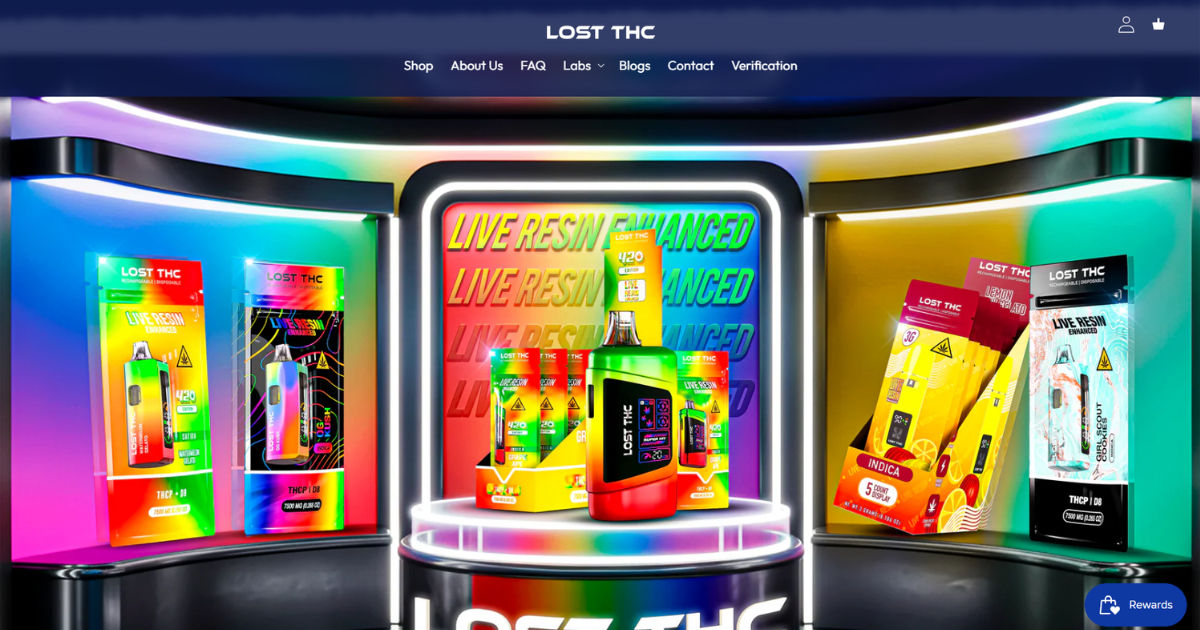
Many modern disposable devices, including the Lost THC V4 3 Gram CB9A Disposable, include a built-in rechargeable battery, making them more convenient than older single-use designs. If you have a Lost THC V4 3 Gram CB9A Disposable and are unsure how to charge it properly, this guide explains the process in simple terms. Following the correct charging practices can help protect the battery, reduce the risk of damage, and ensure the device performs as intended.
Rechargeable Disposable Vapes
Unlike traditional disposable vapes that are discarded once the battery dies, rechargeable disposables include a charging port, usually located at the bottom or side of the device. This feature allows the internal battery to be recharged multiple times until the contents of the device have been fully used.
Although these devices can be recharged, they are still considered disposable because they are not designed to be refilled or reused indefinitely.
How Can You Tell If Your Disposable Vape Is Rechargeable?
Before attempting to charge your device, determine whether it actually supports charging.
Common signs include:
- A visible USB-C or Micro-USB charging port.
- Information on the product packaging indicating it is rechargeable.
- Instructions provided by the manufacturer.
- An LED indicator that lights up while charging.
If there is no charging port, do not attempt to force or modify the device.
Items You Need
Charging a rechargeable disposable vape requires only a few basic items:
- A compatible USB charging cable.
- A low-power USB charging source.
- A clean, dry charging area.
Avoid using damaged charging cables or exposed electrical connections.
Step 1: Locate the Charging Port
Inspect the device carefully.
Most rechargeable disposable vapes place the charging port on the bottom. Some newer models may position it on the side.
If necessary, gently remove any dust or debris before connecting the cable.
Step 2: Choose the Correct Charging Cable
Most newer devices use USB-C charging, while some older models still use Micro-USB.
Never force a connector into the charging port. If the cable does not fit easily, it is likely the wrong type.
Using the proper cable helps prevent damage to the charging port.
Step 3: Connect to a Low-Power USB Source
Insert the cable securely into the device.
Plug the other end into a standard USB power source such as:
- A computer USB port.
- A low-power USB wall adapter.
- A certified USB charging hub.
Many manufacturers recommend avoiding high-powered fast chargers because disposable vape batteries are designed for lower charging currents.
Step 4: Check the Charging Indicator
Most rechargeable disposables include an LED light.
Common charging indicators include:
- Solid light while charging.
- Blinking light during charging.
- Light turning off or changing color when charging is complete.
Indicator patterns vary between manufacturers, so consult the device instructions whenever possible.
Step 5: Wait Until Charging Is Complete
Charging usually takes between 30 minutes and 90 minutes depending on:
- Battery capacity.
- Remaining battery level.
- Charger output.
Do not leave the device charging overnight or unattended for extended periods.
Disconnect it once charging has finished.
Step 6: Disconnect the Charger
When charging is complete:
- Unplug the cable.
- Store the charger safely.
- Check that the charging port is clean.
- Use the device according to the manufacturer's instructions.
Avoid pulling the cable forcefully, as this may damage the charging port.
How Long Does Charging Usually Take?
Charging time varies by device, but most rechargeable disposable vapes recharge relatively quickly.
Typical charging times include:
| Battery Size | Approximate Charging Time |
|---|---|
| Small battery | 30–45 minutes |
| Medium battery | 45–60 minutes |
| Large battery | 60–90 minutes |
Actual times depend on the charger and battery condition.
Signs the Battery Needs Charging
Many rechargeable disposable devices provide warning signs before the battery is completely empty.
Common signs include:
- Reduced vapor production.
- Weak performance.
- Flashing LED indicator.
- Device stops activating.
These signs often indicate the battery needs recharging rather than that the device is empty.
Why Isn't the Device Charging?
If charging does not begin, several factors could be responsible.
Dirty Charging Port
Dust or pocket lint may prevent proper contact.
Carefully inspect the charging port and remove debris using a dry, non-metallic tool if necessary.
Damaged Cable
Charging cables wear out over time.
Try another compatible cable if available.
Faulty Power Source
Switch to another USB outlet or wall adapter to determine whether the power source is the issue.
Battery Has Reached End of Life
Rechargeable disposable batteries have a limited lifespan.
If the device no longer accepts a charge after repeated attempts, it may have reached the end of its usable life.
Safety Tips
Safe charging practices help reduce risks associated with lithium-ion batteries.
Always:
- Charge on a flat, non-flammable surface.
- Keep the device away from water.
- Use compatible charging equipment.
- Disconnect after charging is complete.
- Keep the charging port clean.
- Store the device at room temperature.
Avoid:
- Charging overnight.
- Leaving the device in direct sunlight.
- Using damaged chargers.
- Exposing the battery to excessive heat.
- Attempting to disassemble the device.
Can You Use the Device While It Charges?
Many disposable rechargeable vapes are not designed for pass-through charging.
Using the device while charging may increase battery stress and is generally discouraged unless the manufacturer specifically states that the feature is supported.
How Often Should You Recharge It?
Recharge only when the battery becomes low.
Frequent unnecessary charging is generally not required.
Many users recharge the battery several times before the contents of the disposable device are exhausted.
Does Charging Make the Device Last Longer?
Charging restores battery power but does not increase the amount of product remaining inside the device.
Once the contents have been fully used, charging will not restore them.
If the device produces little or no vapor even after a full charge, it may simply be empty.
Common Charging Mistakes
Avoid these common errors:
- Using the wrong charging cable.
- Using high-voltage fast chargers.
- Charging near heat sources.
- Ignoring signs of battery damage.
- Charging with wet hands.
- Leaving the device plugged in for many hours.
Following basic battery safety practices can help minimize unnecessary wear.
Storage Tips
Proper storage can help preserve battery performance.
Store the device:
- In a cool, dry location.
- Away from direct sunlight.
- Away from excessive humidity.
- Out of reach of children and pets.
- With the charging port protected from dust.
Extreme temperatures may reduce battery efficiency.
When Should the Device Be Replaced?
Rechargeable disposable vapes are not intended for permanent use.
Replacement is appropriate when:
- The contents have been fully consumed.
- The battery no longer holds a charge.
- The charging port becomes damaged.
- The device shows signs of malfunction.
- The manufacturer recommends disposal.
Dispose of electronic devices responsibly through local e-waste or battery recycling programs where available.
Frequently Asked Questions
Can every disposable vape be charged?
No. Only devices specifically designed with a charging port and rechargeable battery can be recharged.
Is it safe to leave the device charging overnight?
It is generally recommended to avoid leaving rechargeable lithium-ion devices charging unattended for long periods.
Can I use a phone fast charger?
A standard low-power USB charger is generally preferred unless the manufacturer specifically states compatibility with higher-power charging.
What if the charging light never turns on?
Check the charging cable, USB power source, and charging port. If the issue persists, the battery or device may be faulty.
Does charging refill the device?
No. Charging only restores battery power. It does not replace or refill the contents of the disposable device.
Conclusion
Charging a rechargeable disposable vape is usually a simple process: identify the charging port, use the correct USB cable, connect it to a suitable low-power USB source, monitor the charging indicator, and disconnect the device once fully charged. Proper charging habits, such as avoiding excessive heat, using compatible accessories, and not leaving the device plugged in for extended periods, can help maintain battery performance and reduce unnecessary wear.
Remember that rechargeable disposable devices are designed to recharge the battery only. Once the contents have been depleted or the battery reaches the end of its service life, the device should be disposed of responsibly according to local electronic waste guidelines.